mber+ Donation Feature Documentation
Overview
The Donation feature in mber+ allows clients to enable program-based donations within their platform experience.
Customers can donate through two supported methods:
- Credit Donation – donate remaining or additional credits at checkout
- Entitlement Donation – donate entitlements instead of redeeming products
Both donation methods allow customers to:
- Choose a Donation Program
- Complete donation within the normal checkout or entitlement flow
Donation activity is captured and available via mber+ reporting.
Key Concepts
| Term | Description |
|---|---|
| Donation Program | A program or cause customers can donate to |
| Credit Donation | Donation using account credits |
| Entitlement Donation | Donation using entitlement value |
Donation Methods
1. Credit Donation
Description
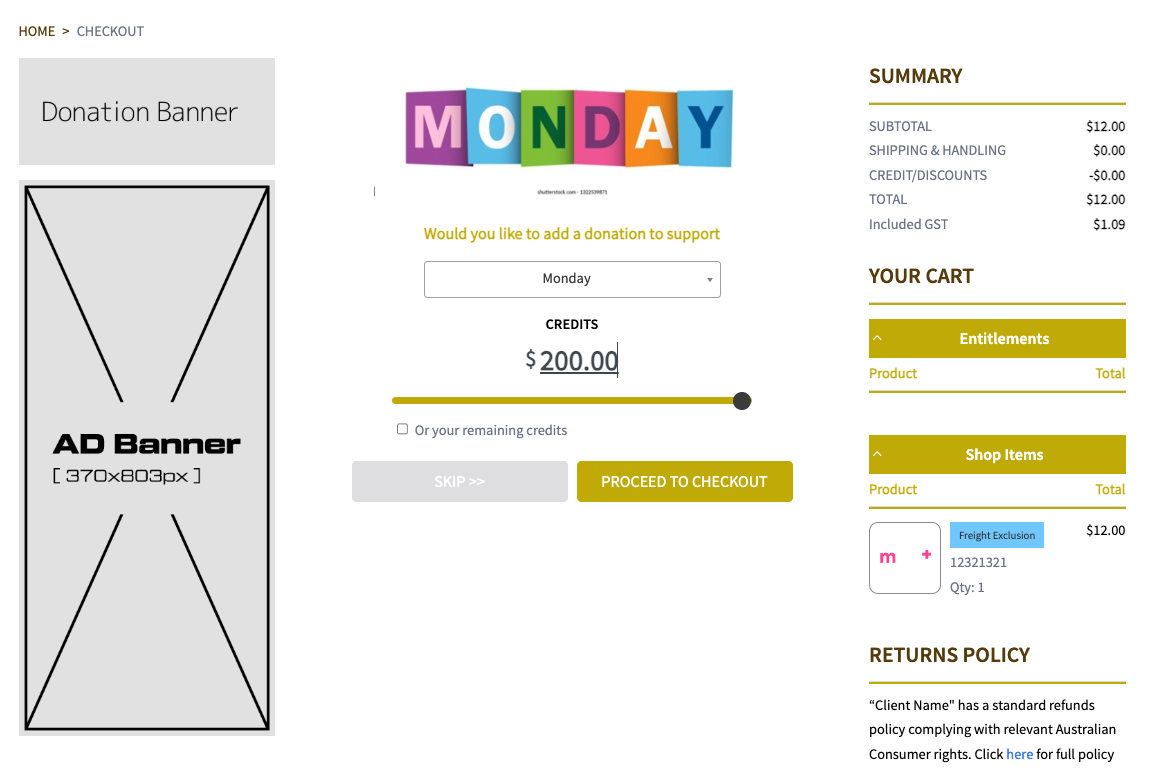
Credit Donation allows customers to donate their remaining credits or additional credits at the last step of the checkout.
Customer Experience
- Donation option appears during checkout
-
Customer selects:
-
Donation Program
- Donation amount
-
Customer can:
-
Donate remaining credits
- Donate a custom amount (slider & manual inputs)
- Donation is included in checkout and payment
Client Configuration
Navigate to:
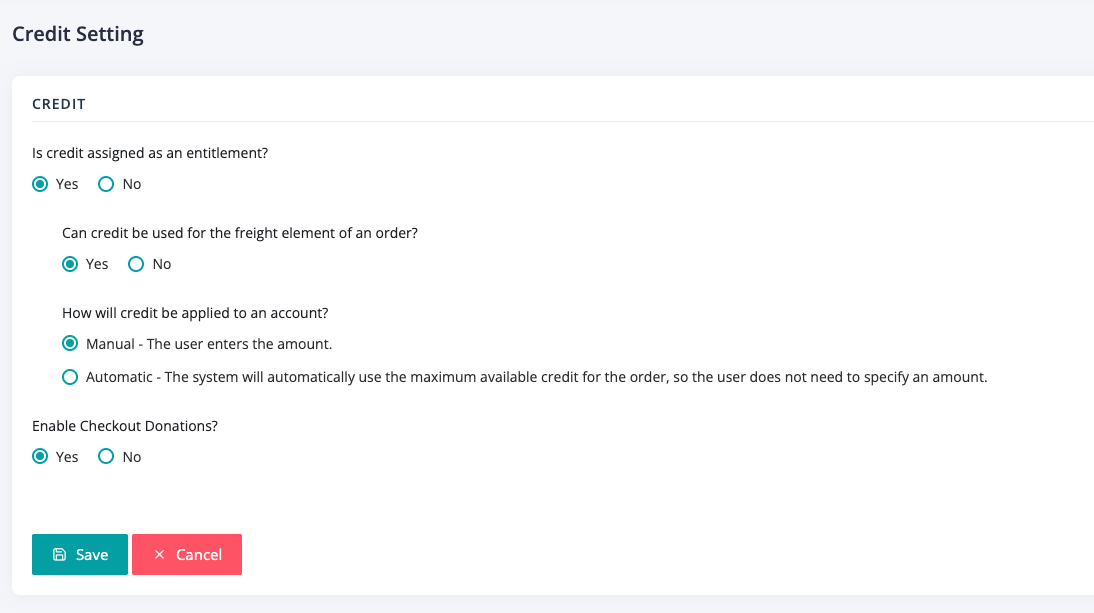
Settings → Entitlements → Credit
Available settings:
- Enable Checkout Donations
When Enable Checkout Donations = Yes, credit donation is available at checkout.
2. Entitlement Donation
Description
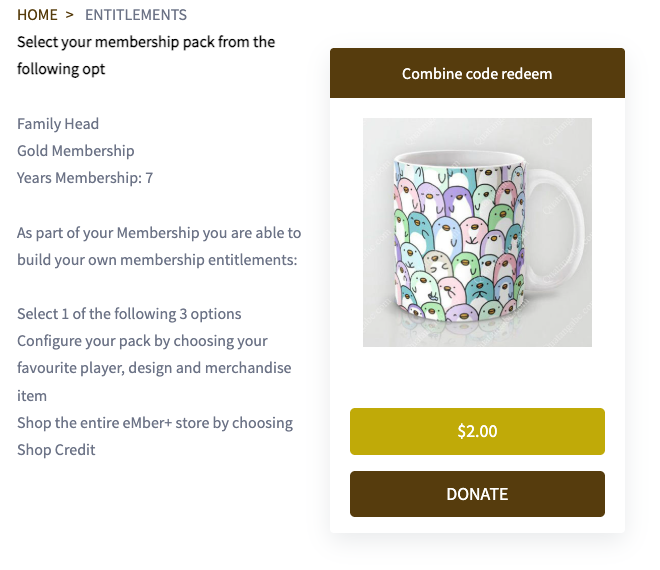
Entitlement Donation allows customers to donate their entitlement assigned instead of redeeming products.
This option appears during entitlement selection or redemption.
Customer Experience
- Donation option appears during entitlement flow
-
Customer selects:
-
Donation Program
- Selected entitlement is marked as donated
- Entitlement is removed from available choices
Client Configuration
Navigate to:
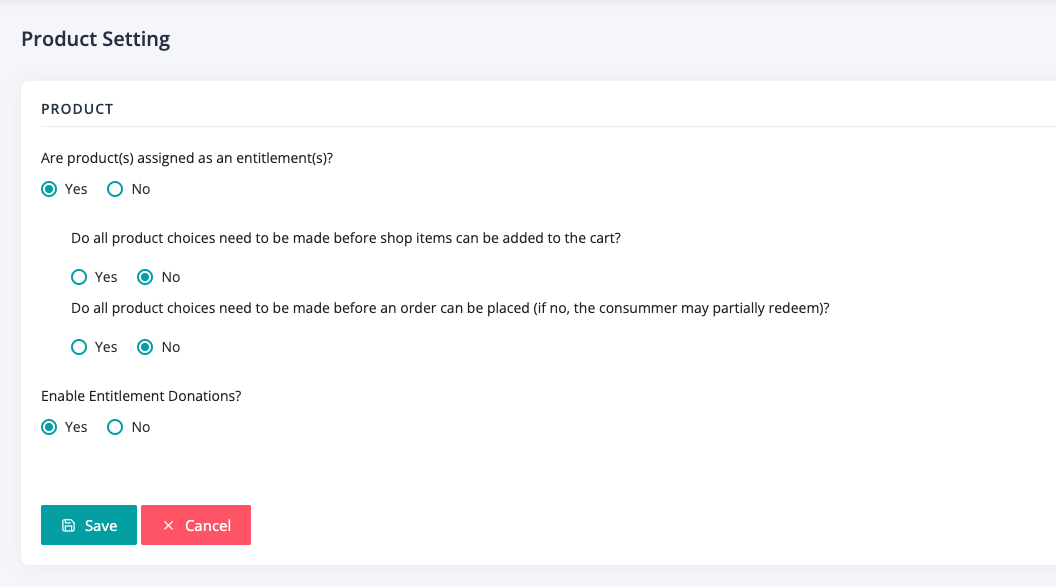
Settings → Entitlements → Product
Available settings:
- Enable Entitlement Donations
When Enable Entitlement Donations = Yes, entitlement donation becomes available.
Donation Programs
Overview
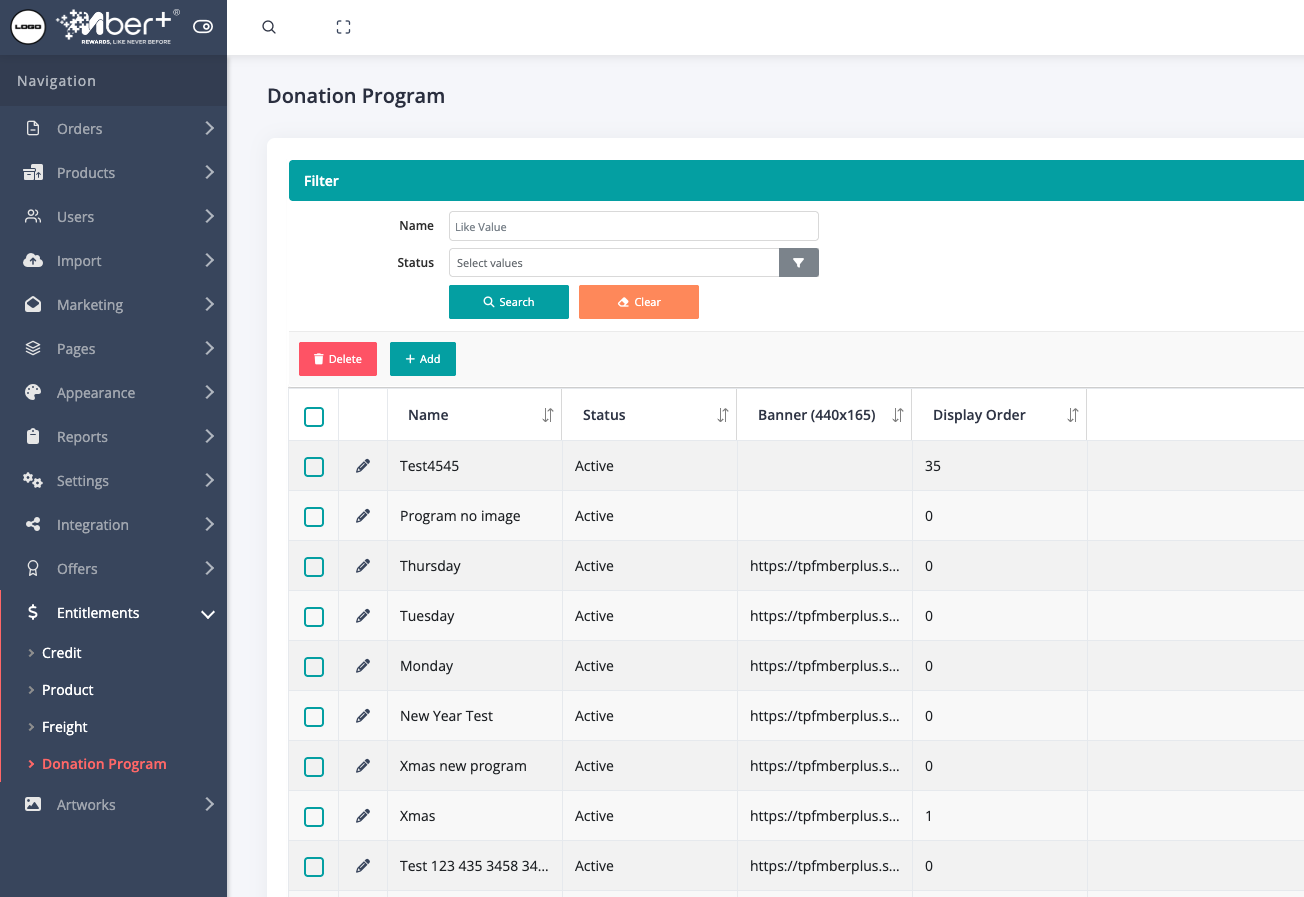
Donation Programs define the destination of donations within mber+.
Clients can create multiple donation programs, each with its own configuration and branding.
Managing Donation Programs
Navigate to:
Entitlements → Donation Program
Program Configuration
Each Donation Program includes:
| Field | Description |
|---|---|
| Name | Program name displayed to customers |
| Status | Active or Inactive |
| Banner (440×165) | Optional image shown during selection |
| Display Order | Controls program listing order |
Only Active programs are visible to customers.
Program Detail View
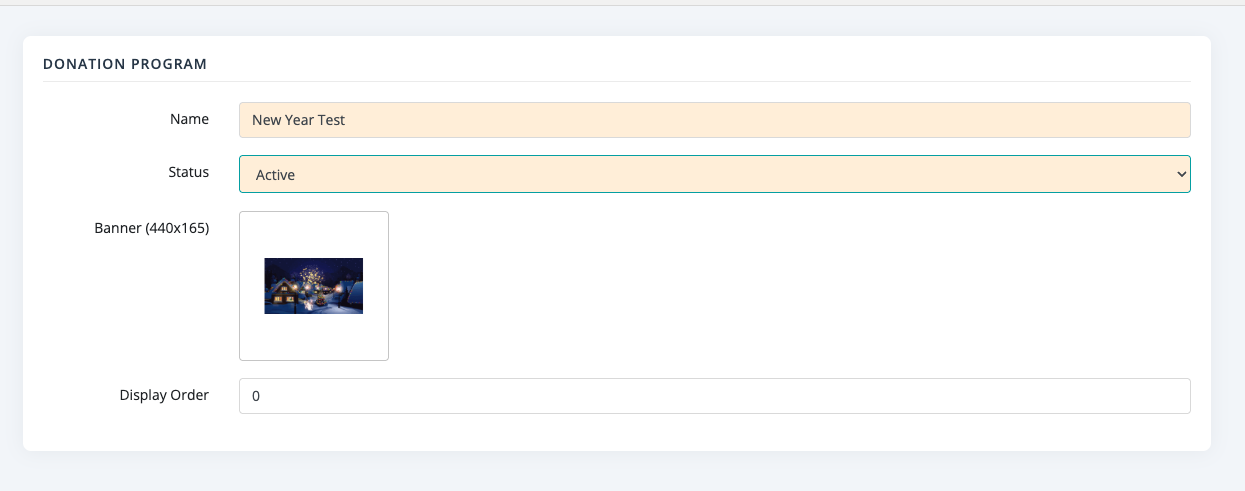
Clients can create or edit donation programs to update:
- Program name
- Status
- Banner image
- Display order
Donation Selection (Customer)
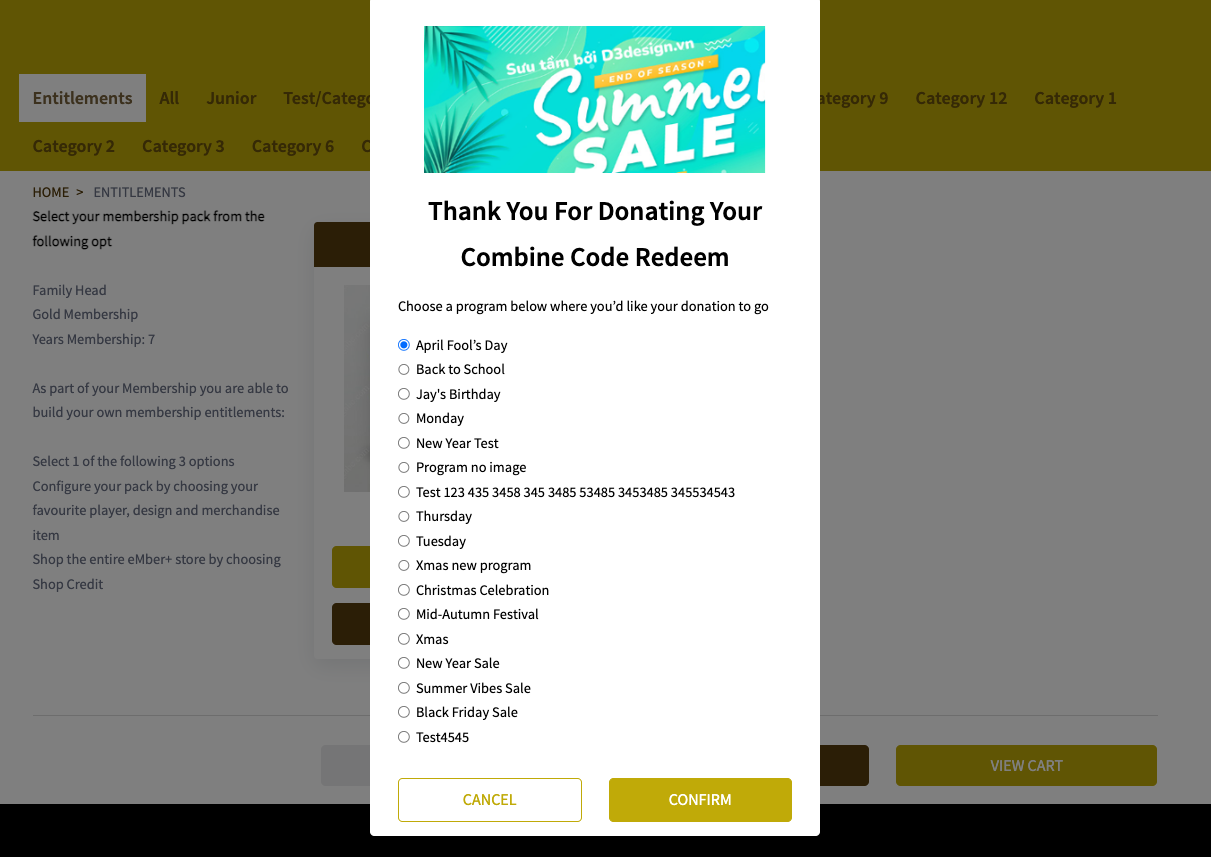
During donation:
- Customers are presented with a list of active Donation Programs
- Programs are ordered by display order
- One program can be selected per donation
Checkout & Payment Behaviour
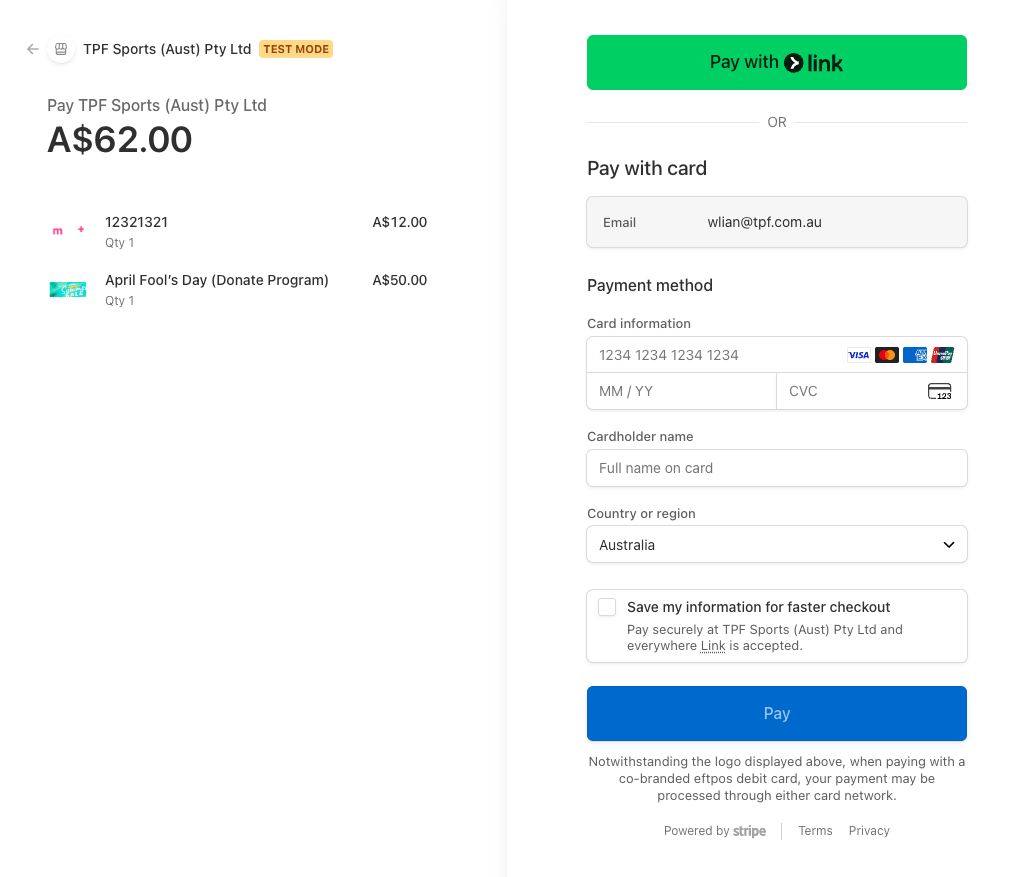
Credit Donation
- Donation is included in checkout
- Appears as a separate donation line item
- Included in total payment
- Processed via the configured payment gateway
Entitlement Donation
- Entitlement choice will be marked as donated immediately if customer choose to donate
- No checkout process for donating an entitlement
Reporting
Donation activity is recorded and available via mber+ reporting.
Configuration Checklist
To enable donations in mber+:
- Create at least one Donation Program
- Set Donation Program status to Active
- Enable Checkout Donations (for credit donations)
- Enable Entitlement Donations (for entitlement donations)
- Review entitlement and credit configuration as required
Notes
- Only Active donation programs are selectable
- Donation banners are optional but recommended
- Donation programs can be reused across both donation methods
- Donations are non-refundable
Summary
The mber+ Donation feature provides a flexible way for clients to:
- Accept donations using credits or entitlements
- Support multiple programs
- Integrate donations seamlessly into checkout and entitlement flows
- Track donation activity through mber+ reporting