mber+ Customer Post-Checkout Form
Overview
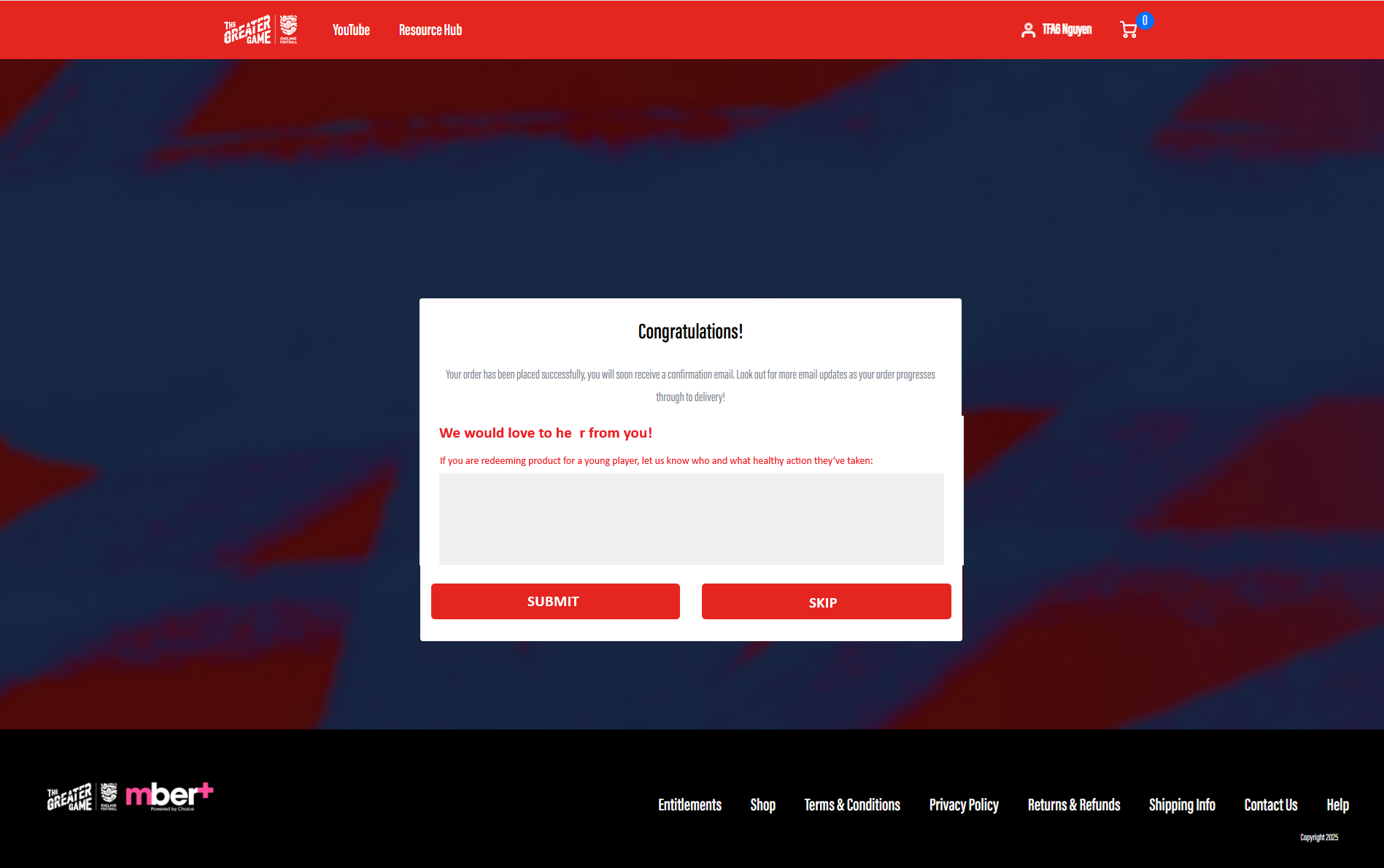
The Customer Post-Checkout Form feature in mber+ allows clients to collect feedback from customers immediately after an order is completed.
The form is displayed on the Order Completion page and can be configured as:
- Optional – customers may choose to skip
- Mandatory – customers are prompted to complete the form before continuing
Note: If a customer closes the browser or navigates away, submission cannot be enforced.
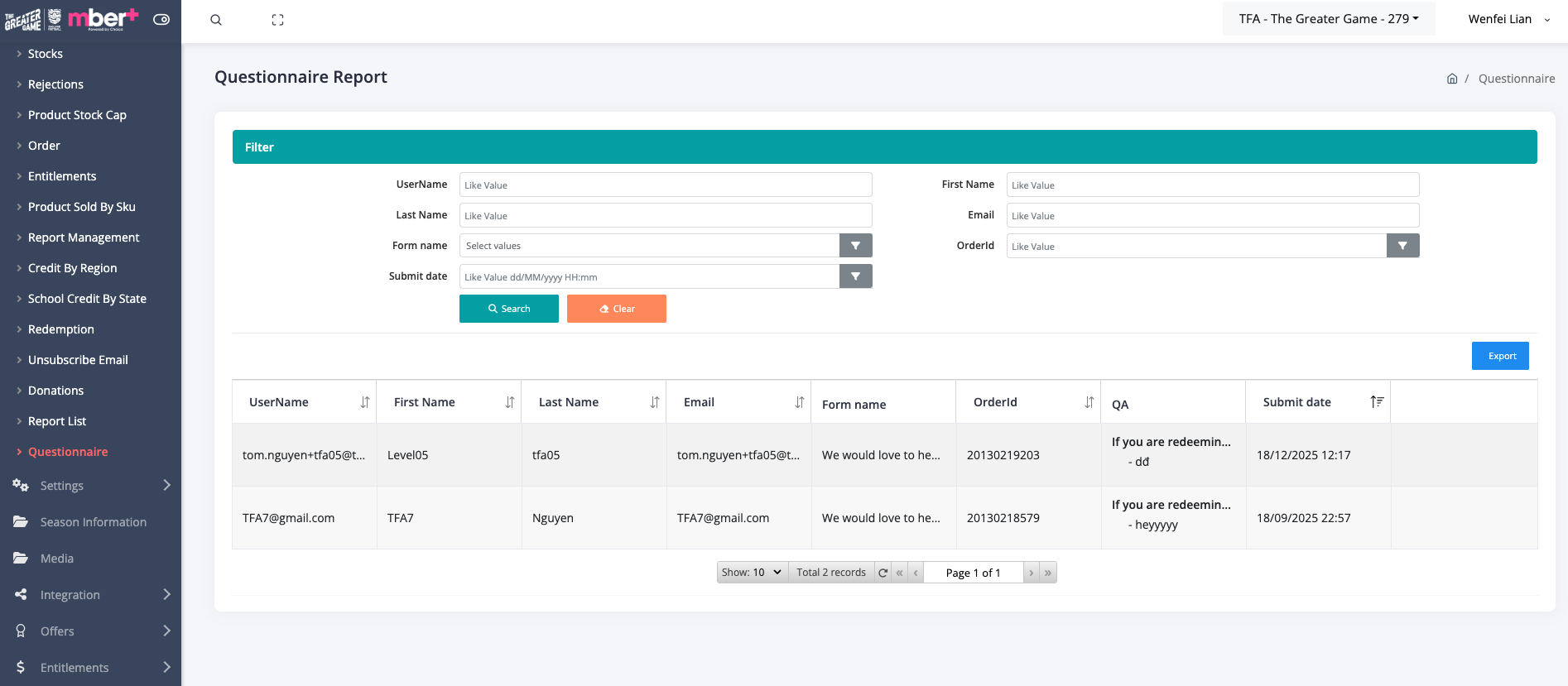
Feedback submitted through the post-checkout form is captured and available via mber+ reporting
Key Concepts
| Term | Description |
|---|---|
| Post-Checkout Form | A feedback form shown after order completion |
| Question | A single prompt displayed to the customer |
| Free Text Input | Text-based response field (currently supported) |
| Submission | A completed feedback response |
Feature Scope
Current Capabilities
- Display feedback form after order completion
- Support multiple questions
- Support free text input questions
- Configure form as optional or mandatory
- Capture and store customer responses
- Feedback available via reporting
Future Enhancements (Out of Scope)
- Checkbox / multi-select questions
- Rating / score questions
- Dropdown selection
Customer Experience
When the Form Appears
- Displayed on the same screen as the order completion page
- Shown immediately after checkout is completed
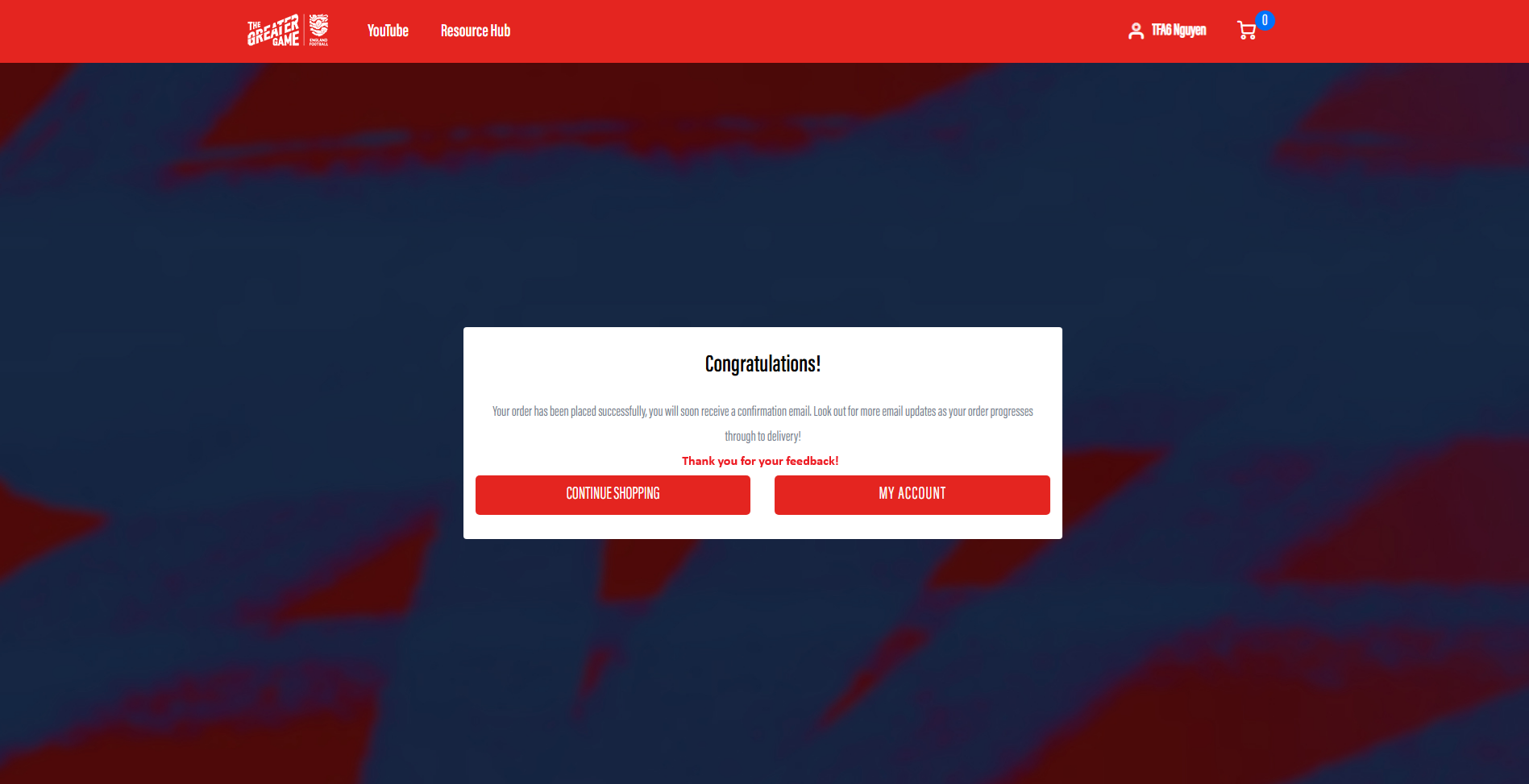
- Customer sees order confirmation and feedback form together
Screenshot Placeholder:``
Optional Form Behaviour
-
Customer may:
-
Submit feedback
- Skip the form
- Skipping allows customer to continue without submitting and redirected to home page
Mandatory Form Behaviour
- Customer is prompted to complete the form
- Submission is required to continue
- Browser exit or tab close cannot be prevented
Form Structure
Questions
- Clients can configure multiple questions per form
-
Each question:
-
Is displayed sequentially or as a list
- Accepts a free text response
- All questions are free text input only (current scope)
Input Type (Current)
| Input Type | Supported |
|---|---|
| Free Text | ✅ Yes |
| Checkbox | ❌ Future |
| Rating | ❌ Future |
| Dropdown | ❌ Future |
Client Configuration
Form Setup (Dev efforts required)
Clients can choose:
- Enable or disable the post-checkout form
- Choose whether the form is optional or mandatory
- Define multiple free-text questions
- Update or remove questions as needed
Submission & Data Handling
- Feedback is captured per order
-
Each submission is linked to:
-
Order
- Customer (if available)
- Date and time
- Partial or abandoned responses are not saved
Reporting
Customer feedback submitted through the post-checkout form is available via mber+ reporting for client review.
Summary
The mber+ Customer Post-Checkout Form provides a simple and effective way for clients to:
- Collect customer feedback immediately after purchase
- Ask multiple open-ended questions
- Choose between optional or mandatory participation
- Review feedback via mber+ reporting
This feature enables valuable post-purchase insights with minimal impact on the checkout flow.